
PF Transfer May Still Get Delayed Even with EPFO 3.0! Complete These Tasks Before Changing Jobs
Planning to switch jobs? Even with EPFO 3.0, PF transfers can be delayed due to KYC issues, multiple UANs, or incorrect records. Learn the essential steps to ensure a smooth PF transfer.
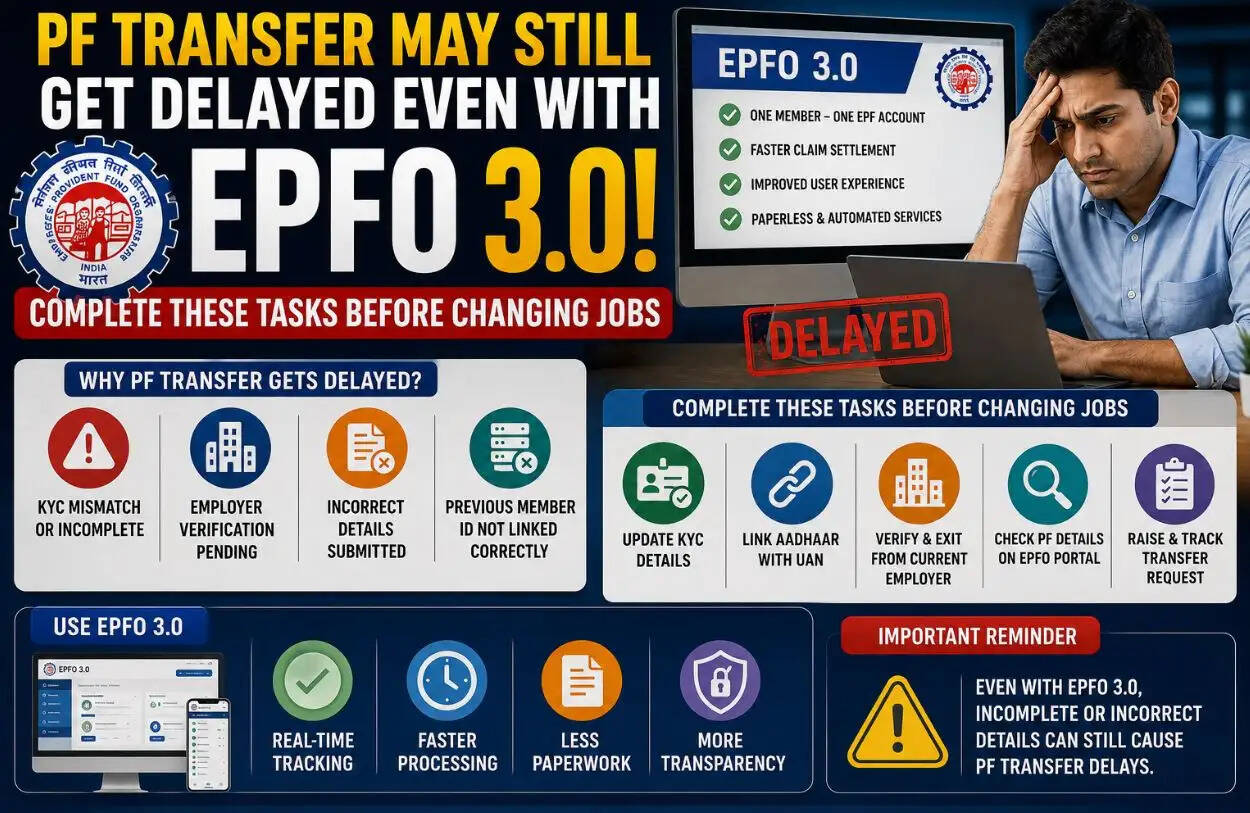
RJ Kesari Business Desk: EPFO 3.0 Update: Changing jobs is an exciting career move, but overlooking a few important Provident Fund (PF) formalities can lead to unnecessary delays in transferring your savings. While the upcoming EPFO 3.0 platform aims to make PF transfers faster, paperless, and more user-friendly, it cannot resolve issues caused by incorrect employee records or incomplete documentation.
If you're planning to switch employers, make sure you complete these essential checks before leaving your current organization.
Verify Your Personal Details Before Applying for PF Transfer
One of the biggest reasons behind delayed PF transfers is a mismatch in personal information.
Before changing jobs, ensure that your:
- Name
- Date of Birth
- Father's or Husband's Name
- Other personal details
are exactly the same across your EPFO account, Aadhaar, PAN, and bank records.
Even a minor spelling mistake or incorrect date can hold up your PF transfer request for weeks.
Never Create a Second UAN
Your Universal Account Number (UAN) is a permanent identification number that remains valid throughout your career.
However, many employees unknowingly receive a new UAN when joining a new company. This creates duplicate records and often results in delays while transferring PF balances.
To avoid this problem:
- Always provide your existing UAN to your new employer.
- Ask your HR department to link your new PF account with your existing UAN.
- Never allow a duplicate UAN to be generated.
Complete Your KYC Before Leaving Your Current Job
Before initiating a PF transfer, ensure your Know Your Customer (KYC) details are fully updated and verified.
Your UAN should be linked with:
- Aadhaar
- PAN
- Active Bank Account
- Registered Mobile Number
If any of these documents remain unverified, your transfer request may be delayed until the verification process is completed.
Check Whether Your Previous Employer Has Updated Your Records
Although EPFO 3.0 reduces paperwork, your previous employer still plays an important role in the transfer process.
Before resigning, confirm that your employer has:
- Updated your Date of Exit
- Submitted accurate salary records
- Filed all pending PF contributions
- Corrected any errors in your employment details
Missing or incorrect employer records are among the most common reasons for delayed PF settlements.
Processing Delays Can Still Happen
Even if all your records are accurate, PF transfers may occasionally take longer than expected due to:
- Heavy application volumes
- EPFO system upgrades
- Technical maintenance
- Internal verification procedures
To avoid surprises, regularly monitor your PF transfer status through the EPFO portal and respond immediately if any additional information or verification is requested.
Checklist Before Changing Jobs
Before switching employers, make sure you complete the following:
- ✔️ Verify that your personal details match across all documents.
- ✔️ Use only your existing UAN.
- ✔️ Complete Aadhaar, PAN, and bank account KYC verification.
- ✔️ Confirm that your previous employer has updated your Date of Exit and PF records.
- ✔️ Track your PF transfer request regularly after submitting it.